
If you’re trying to choose between GetResponse vs ActiveCampaign in 2025, you’re not alone. These two platforms dominate the email marketing and automation space — but selecting the wrong one can slow your growth, inflate your costs, or limit what you can achieve with your marketing campaigns.
The good news? You’re about to find a clear, unbiased comparison that cuts through the noise. Whether you’re a solopreneur building your first funnel or a growing business looking for advanced CRM automation, this guide breaks down the real differences, costs, strengths, and limitations of both tools.
By the end of this review, you’ll know exactly which platform is the better fit for your goals — and you’ll avoid the common mistakes many marketers make when choosing their email marketing software.
Quick Comparison Summary
Choosing between GetResponse vs ActiveCampaign can be challenging, especially when both offer powerful email marketing and automation capabilities. This quick snapshot highlights the key differences in features, automation strength, pricing, and ideal users to help you make an informed decision faster
| Feature / Criteria | GetResponse | ActiveCampaign |
|---|---|---|
| Automation Strength | Strong (Beginner to Intermediate) | Very Advanced (Industry-Leading) |
| Email Marketing Tools | Excellent templates, A/B testing, segmentation | Robust email tools with deep personalization |
| Website, Funnels & Landing Pages | Built-in website & funnel builder + webinars | Limited landing page tools, no native funnels or webinars |
| CRM Features | Basic built-in CRM, good for small teams | Advanced CRM with lead scoring & deal pipelines |
| eCommerce Tools | Strong – funnels, abandoned cart, product recommendations | Strong – advanced segmentation + store behavior tracking |
| Integrations | 120+ | 900+ |
| Pricing (1,000 contacts) | From ~$19/month | From ~$39/month |
| Ease of Use | Very user-friendly | Steeper learning curve |
| Customer Ratings (G2 – 2025 Avg.) | 4.2 / 5 | 4.5 / 5 |
Table of Contents
Essential Differences outlined
The main difference in GetResponse vs ActiveCampaign is their core focus. GetResponse is an all-in-one marketing platform offering email marketing, automation, funnels, landing pages, and native webinar hosting—making it ideal for marketers who want multiple tools in one place.
ActiveCampaign, on the other hand, specializes in advanced automation and CRM-driven customer journeys, offering deeper segmentation, behavior-based triggers, and superior integration options—making it a better fit for those who prioritize complex automation and sales pipelines.
| Best For | Winner |
|---|---|
| Beginners & Non-Tech Users | ✅ GetResponse |
| eCommerce Stores | 🤝 Tie (GetResponse for funnels, ActiveCampaign for segmentation) |
| Automation Pros | ⭐ ActiveCampaign |
| Agencies & Sales Teams | ⭐ ActiveCampaign |
| Webinar Marketing & Funnels | 🎯 GetResponse |
Overview & Target Audience
When comparing GetResponse vs ActiveCampaign, it’s important to understand the core purpose of each platform and the type of users they’re built for. While both are leading email marketing and automation tools, they differ in their overall approach, feature depth, and target market.
Brief Overview of GetResponse
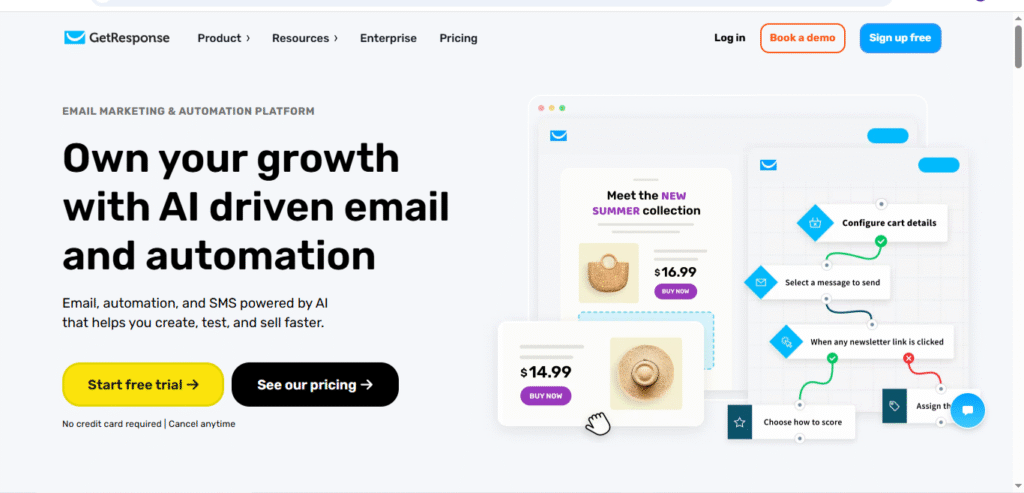
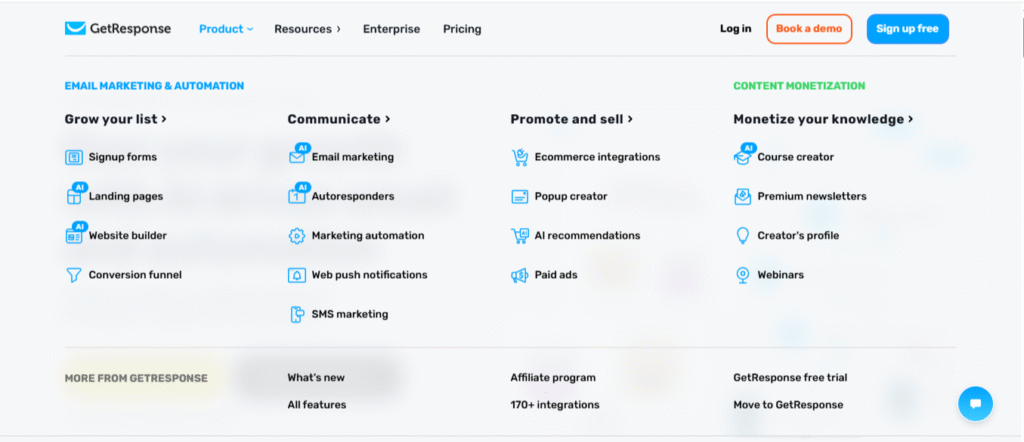
GetResponse is an all-in-one online marketing platform designed to help businesses manage email campaigns, build landing pages, create sales funnels, host webinars, and automate customer journeys — all from one dashboard. It focuses on simplicity, affordability, and providing multiple marketing tools in a single ecosystem, making it a strong option for small to mid-sized businesses that want an integrated solution without relying on multiple tools.
Brief Overview of ActiveCampaign
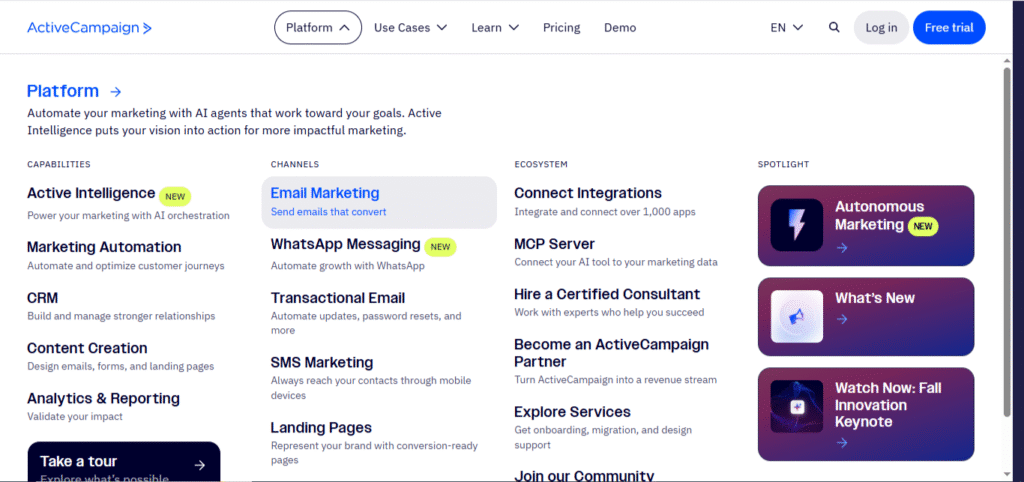
ActiveCampaign is a powerful marketing automation and CRM platform known for its advanced segmentation, behavioral targeting, and sales-focused automation capabilities. It offers deeper customer journey mapping, extensive integrations, and a strong CRM system ideal for businesses that want to personalize customer interactions at scale. ActiveCampaign is best suited for companies that prioritize data-driven automation and complex workflows over all-in-one convenience.
Who Each Platform Is Best For
GetResponse is best suited for Beginners and non-technical users who want an easy-to-use email marketing solution. It is also good for the Coaches, course creators, and marketers who want built-in webinars, funnels, and landing pages. In the meantime, it is best for small and mid-sized businesses looking for an all-in-one marketing platform. GetResponse fits with entrepreneurs who want to run campaigns, build funnels, and automate leads without extra tools
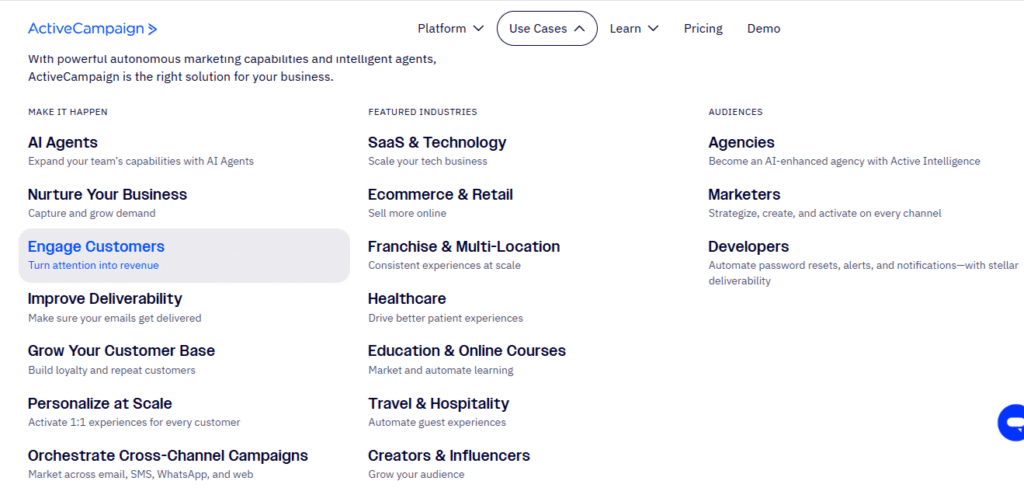
ActiveCampaign is best suited for experienced marketers who need advanced automation and segmentation. sales-driven businesses that want email + CRM + lead scoring in one platform. eCommerce brands that require personalized customer journeys and behavioral targeting. Best for agencies and mid-to-large businesses that need detailed customer lifecycle automation
Market Positioning, Reputation & Business Types They Serve
In the GetResponse vs ActiveCampaign landscape, both platforms are well-established and trusted, but with different market positions.
- GetResponse positions itself as an all-in-one marketing suite for small to medium-sized businesses, solopreneurs, and creators who value simplicity and integrated tools like landing pages, funnels, and webinars.
- ActiveCampaign is positioned as a premium automation and CRM-driven platform for businesses that want to scale personalization, automate complex customer journeys, and align marketing with sales operations.
Both platforms have strong reputations, with ActiveCampaign often rated higher for automation power and GetResponse often preferred for value, ease of use, and all-in-one functionality.
Ease of Use & User Experience
When evaluating GetResponse vs ActiveCampaign, ease of use is an important factor — especially for beginners or businesses without a technical marketing team. Both platforms offer modern interfaces and intuitive dashboards, but the learning curve differs based on the features and depth of functionality you plan to use.
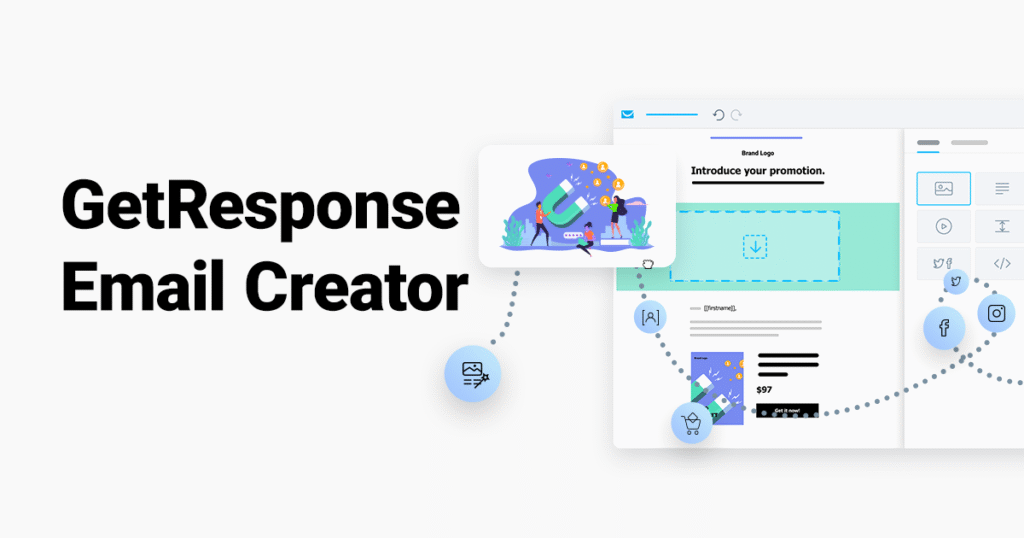
GetResponse is widely recognized for its clean dashboard and beginner-friendly interface. The setup process is straightforward, with guided onboarding steps that help new users create their first email campaign, landing page, or automation workflow quickly.
The drag-and-drop email editor is simple to use, templates are well-organized, and most tools are integrated in one place, making navigation easy even for first-time users. This makes GetResponse a strong fit for marketers, small business owners, and solopreneurs looking for simplicity and speed.
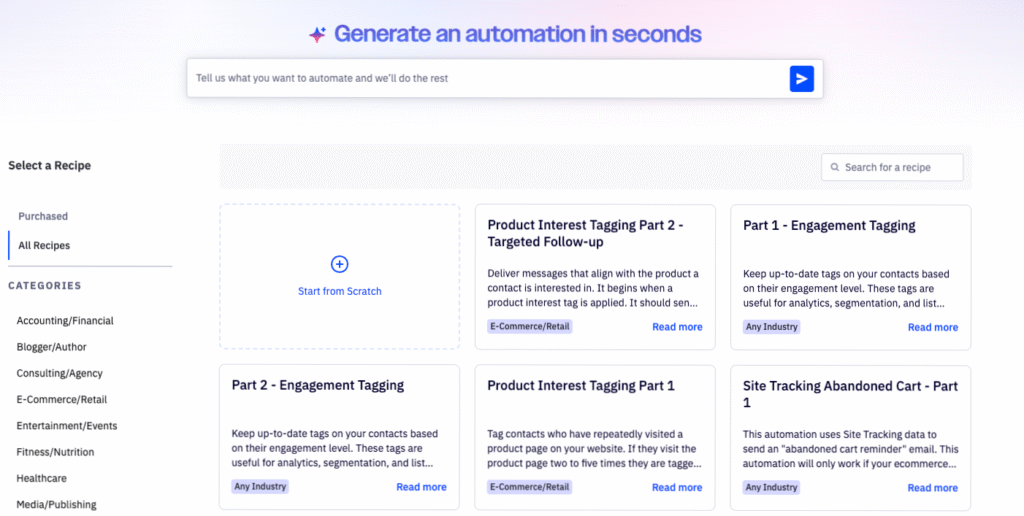
ActiveCampaign offers a more feature-rich platform, which makes the interface slightly more complex to learn. While the dashboard is clean and visually structured, its deeper automation and CRM capabilities mean the learning curve is steeper, especially for beginners.
The email editor and automation builder are powerful, but require more time to understand due to the number of options available. Users with prior experience in email marketing or CRM systems will appreciate the detail and control, but complete beginners may need time before becoming fully comfortable.
ActiveCampaign Ease of Use
ActiveCampaign offers a more feature-rich platform, which makes the interface slightly more complex to learn. While the dashboard is clean and visually structured, its deeper automation and CRM capabilities mean the learning curve is steeper, especially for beginners.
The email editor and automation builder are powerful, but require more time to understand due to the number of options available. Users with prior experience in email marketing or CRM systems will appreciate the detail and control, but complete beginners may need time before becoming fully comfortable.
User Experience Verdict for 2025
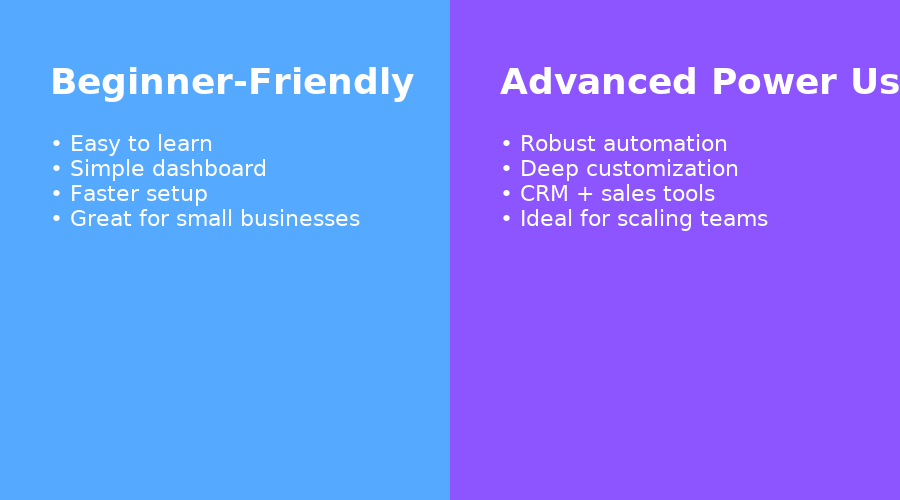
When comparing GetResponse vs ActiveCampaign in terms of usability, GetResponse clearly wins for simplicity and beginner-friendliness. It allows users to launch campaigns faster and without technical complexity.
ActiveCampaign, on the other hand, offers a more advanced experience with deeper customization and automation, making it the better choice for businesses that need precision, data-driven workflows, and advanced control over their customer journeys
Email Marketing Features & Deliverability
When comparing GetResponse vs ActiveCampaign, both platforms stand out as top-tier tools for email marketing — but they take slightly different approaches to campaign creation, personalization, and deliverability performance. Understanding these differences helps marketers choose the platform that best fits their goals.
Email Editors, Templates & Personalization
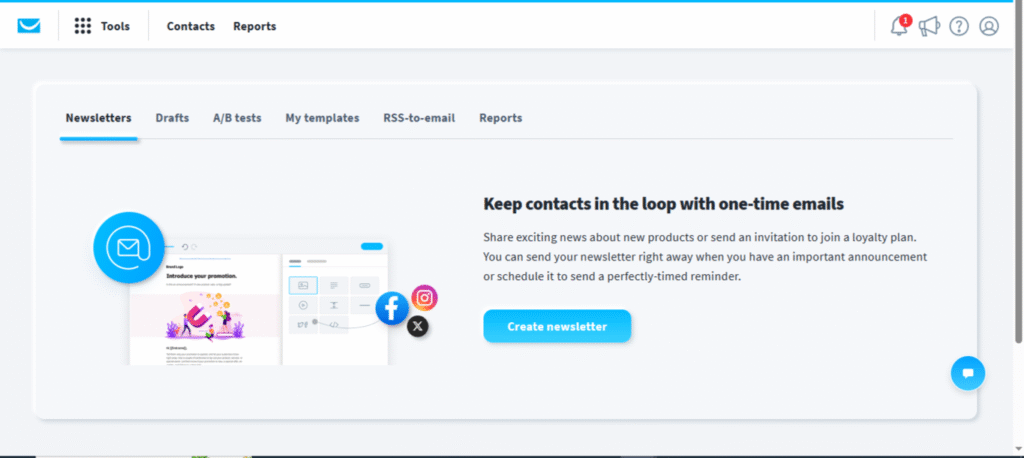
GetResponse offers one of the most intuitive drag-and-drop email editors in the industry. Its interface allows users to design professional emails without needing coding skills. The platform provides a large library of pre-built templates organized by category (promotions, product launches, newsletters, etc.), and each can be fully customized. Personalization is simple through merge tags, custom fields, and behavior-based triggers.
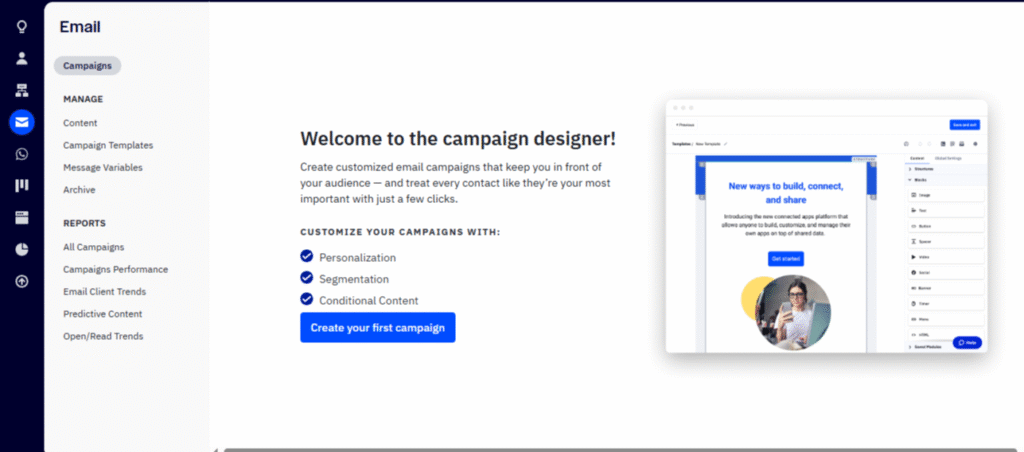
ActiveCampaign, on the other hand, provides a more advanced editor with greater control over conditional content and custom HTML. It’s not quite as beginner-friendly, but it gives experienced marketers deeper personalization options. For example, users can automatically change sections of an email based on a subscriber’s location, interests, or actions within a sales funnel.
Summary
GetResponse: Easier for beginners and visually appealing.
ActiveCampaign: More control and flexibility for experienced users.
Segmentation, Dynamic Content & A/B Tests
Both GetResponse and ActiveCampaign excel in segmentation and testing — two core factors in campaign success.
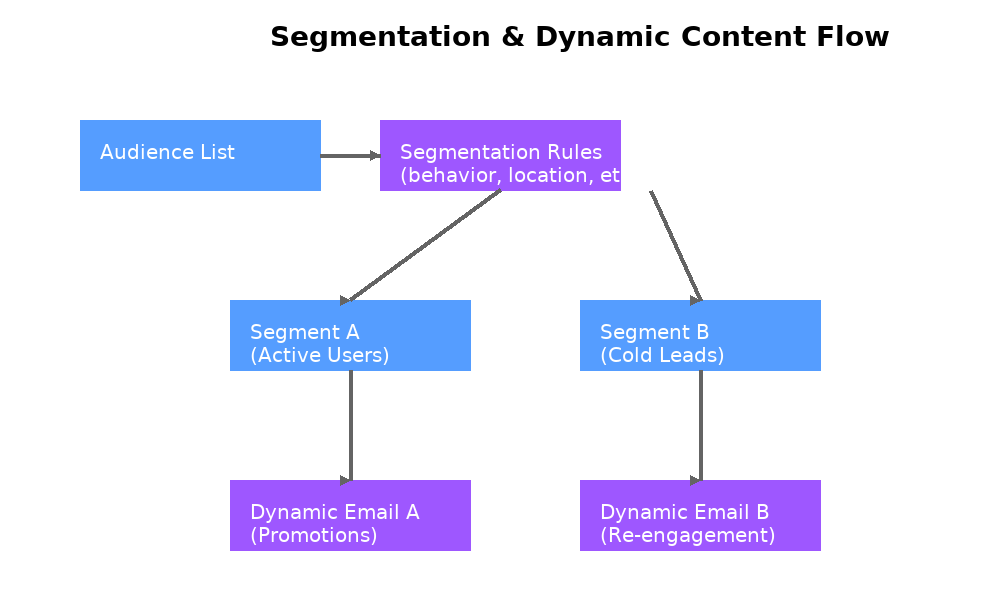
GetResponse allows list segmentation based on demographics, engagement level, purchase history, and campaign activity. It also supports dynamic content, meaning subscribers can see different products or messages based on their interests. Its A/B testing tool makes it easy to test subject lines, content blocks, or sending times for better engagement.
ActiveCampaign goes even deeper. Its segmentation engine can filter subscribers by dozens of behavioral factors, including page visits, time on site, link clicks, and CRM activity. Dynamic content creation is more powerful here, offering true 1-to-1 message personalization. Advanced A/B testing allows multivariate experiments across emails, automations, and campaigns — ideal for data-driven marketers.
Deliverability Scores & Spam Test Tools
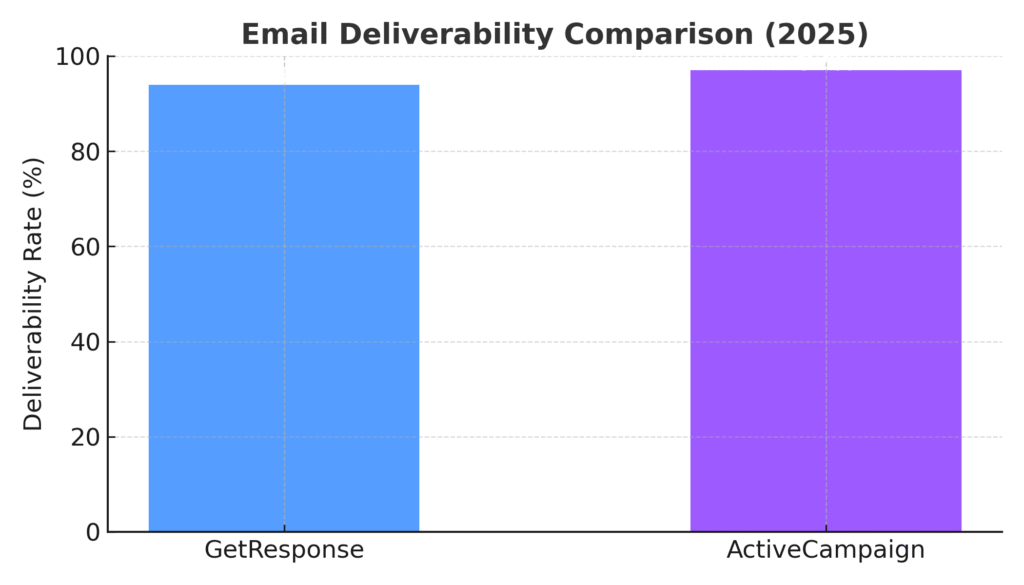
When it comes to deliverability, both tools perform strongly. According to multiple independent tests and user data, ActiveCampaign maintains one of the highest average deliverability rates in the industry — typically around 96–97%. It includes built-in spam checking and message preview tools to help ensure your emails reach the inbox rather than the junk folder.
GetResponse also performs well, with average deliverability rates between 94–96%, depending on list hygiene and sending behavior. The platform offers a dedicated spam score tool, ensuring users can preview deliverability before launching a campaign.
Both tools provide analytics dashboards for tracking bounce rates, unsubscribes, and engagement — helping you maintain a clean, high-quality list.
Reputation & IP Warming
ActiveCampaign is well-known for its excellent sender reputation management. It automatically distributes sending loads across trusted IP pools and offers IP warming guidance for new users — critical for high-volume senders.
GetResponse provides a similar system, allowing users to gradually warm up new lists and maintain high sender reputation. Dedicated IPs are available for higher plans, which helps with consistent inbox placement for larger senders.
GetResponse wins for ease of use, templates, and beginner-friendly design and ActiveCampaign leads in advanced personalization, automation depth, and deliverability reliability.
Both are excellent choices, but the decision depends on whether you value simplicity (GetResponse) or precision (ActiveCampaign).
Automation & Workflow Builder (Core Focus Keyword)
When comparing GetResponse vs ActiveCampaign, automation is where the biggest difference truly shows. Both platforms offer visual workflow builders that allow marketers to automate customer journeys — from sending follow-up emails to tracking behavioral triggers and assigning tags — but their depth and approach vary significantly.
Visual Automation Builder Comparison
GetResponse features a visual workflow builder that’s simple, intuitive, and built for speed. You can easily drag and drop conditions like “Email opened,” “Link clicked,” or “Purchase made” to create automated sequences. The interface is designed for marketers who want to build powerful workflows without coding or technical skills.
It’s especially effective for automating common tasks such as:
- Welcome sequences
- Abandoned cart emails
- Lead nurturing
- Webinar or course follow-ups
Each automation can connect with GetResponse’s built-in landing pages, forms, and funnels — making it a complete marketing ecosystem inside one tool.
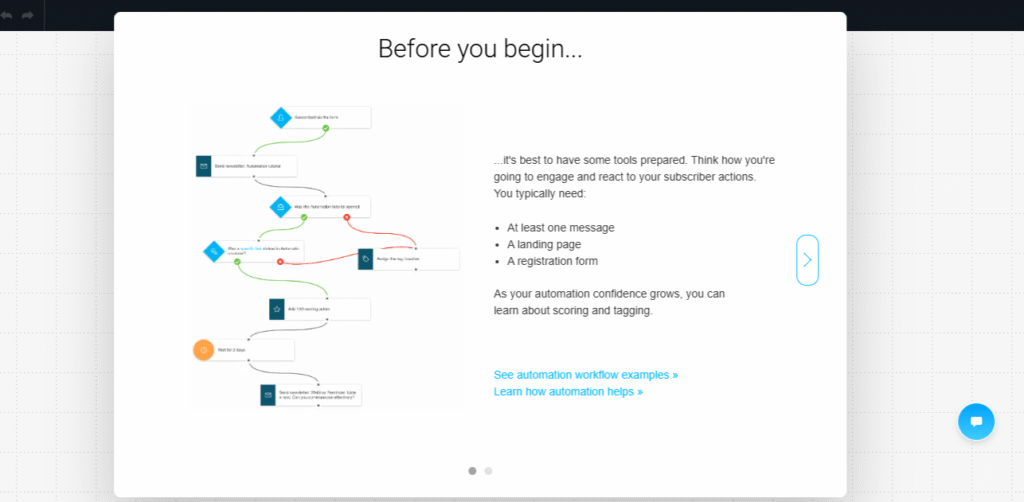
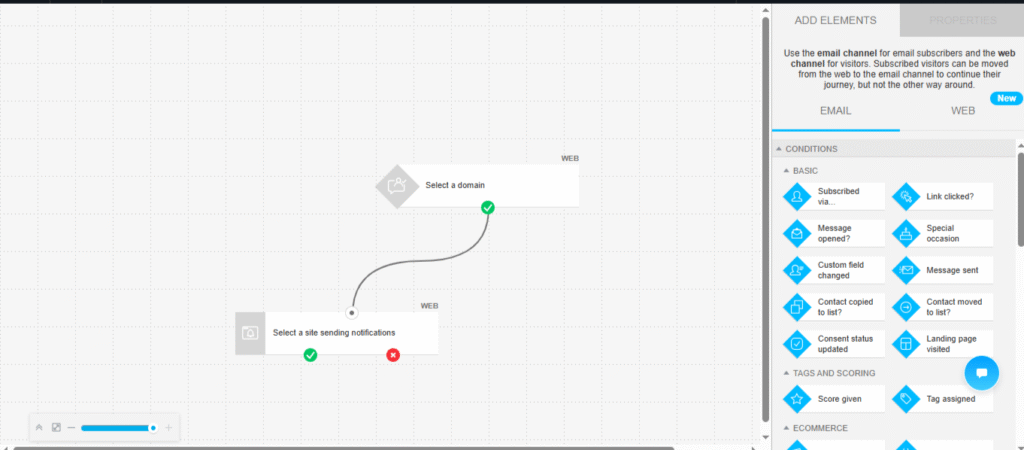
ActiveCampaign, in contrast, is known for having one of the most advanced automation builders in the email marketing industry. Its visual canvas allows you to design extremely detailed customer journeys with multiple paths, conditions, and triggers. You can combine marketing, sales, and CRM data all in one flow — for example, tagging a user when they click a product link, then automatically creating a deal in the CRM and assigning it to a sales rep.
It’s highly flexible but more complex to master, ideal for marketers who want complete control over the customer lifecycle.
Triggers, Conditions, Tagging & Behavioral Flows
In GetResponse, automations revolve around easy-to-use triggers such as “email opened,” “subscribed,” or “link clicked.” You can combine these triggers with actions (like sending another email or moving a contact to a new list) and filters (like only contacts with a specific tag). Tagging is simple — it helps segment audiences for follow-ups or specific offers without advanced logic.
ActiveCampaign takes automation a step further with highly detailed conditional logic. It can trigger actions based on page visits, event tracking, lead score changes, or even interactions with other tools through integrations. Behavioral flows can include multiple branches, allowing you to personalize every step of the user journey. This makes it ideal for businesses that rely on complex lead nurturing or multi-channel campaigns.
Advanced Automation Capabilities
Lead scoring is available on both platforms but operates differently.
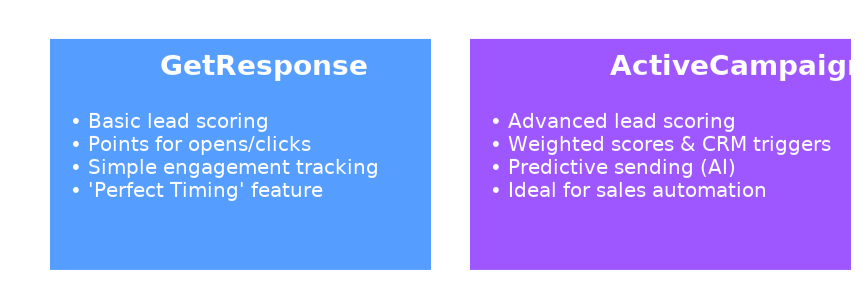
- GetResponse offers a basic lead scoring system that assigns points based on subscriber activity such as opens, clicks, or purchases. This is ideal for small teams tracking engagement.
- ActiveCampaign includes a far more comprehensive lead scoring engine, allowing you to assign weighted values, automate deal stages, and even trigger automations when scores cross thresholds — a must-have for sales-driven organizations.
ActiveCampaign has an edge with predictive sending, powered by AI algorithms that determine the best time to send emails based on individual user behavior. This can significantly improve open and click rates over time.
GetResponse also offers Perfect Timing, a smart feature that sends emails when each subscriber is most likely to engage, though it’s not as advanced or data-driven as ActiveCampaign’s AI-based model.
Automation Power vs Simplicity
In the GetResponse vs ActiveCampaign comparison for automation:
- GetResponse is ideal for users who want easy, visual workflows that integrate with landing pages and funnels.
- ActiveCampaign is the go-to for advanced marketers seeking detailed behavioral targeting, CRM automation, and predictive optimization.
Pricing
Pricing plays a major role when deciding between GetResponse vs ActiveCampaign, especially for growing businesses managing larger subscriber lists. While both platforms offer tiered pricing based on contact volume and features, GetResponse tends to be more affordable for beginners, whereas ActiveCampaign offers more advanced tools at a higher price point.
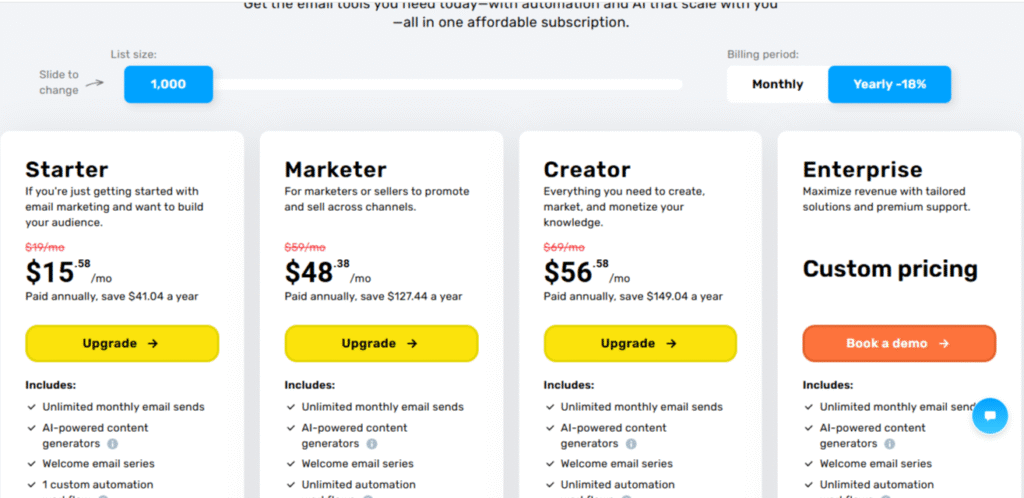
GetResponse Pricing Overview):
GetResponse offers four main plans with both monthly and annual billing options (annual includes discounts up to 18%).
ActiveCampaign (2025 Pricing Overview):
ActiveCampaign pricing is based on contact list size, with four main tiers. Annual plans typically save users around 15%.
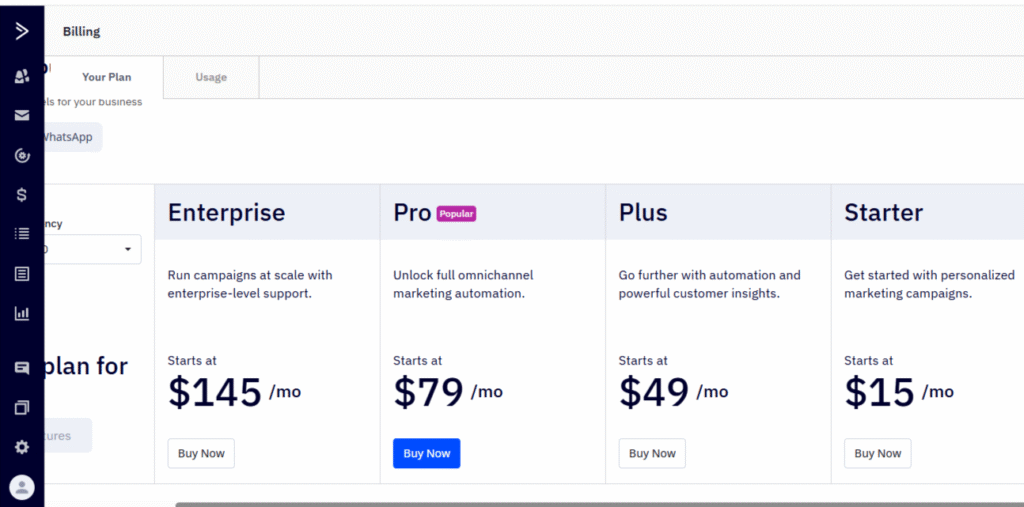
Cost Analysis
| Contacts | GetResponse (Marketing Automation Plan) | ActiveCampaign (Plus Plan) |
|---|---|---|
| 1,000 | $59/month | $70/month |
| 5,000 | $95/month | $125/month |
| 10,000 | $125/month | $200/month |
| 25,000 | $250/month | $338/month |
As shown, GetResponse maintains a more affordable pricing curve as your list scales, while ActiveCampaign becomes costlier due to its advanced CRM and automation suite. For businesses that heavily rely on automation and segmentation, the higher price can be justified — but small teams may find GetResponse more cost-efficient.
CRM Tools Comparison
GetResponse includes a basic CRM designed primarily to support marketing workflows. It allows users to organize leads into pipelines, track movement across stages, and automate follow-ups based on actions like form submissions or email engagement. The CRM is easy to use and works well for simple lead management but lacks the depth required for larger sales teams.
ActiveCampaign, on the other hand, offers one of the most robust CRM systems in the email marketing industry. Its CRM is fully integrated with its automation builder, allowing data to flow directly into pipelines, deal stages, lead scoring systems, and advanced segmentation. Sales reps can manage tasks, notes, and follow-ups in one place, making it ideal for teams that rely heavily on sales operations.
- GetResponse → Lightweight, marketing-friendly CRM
- ActiveCampaign → Full-featured CRM with deep sales and automation power
| Feature | GetResponse | ActiveCampaign |
|---|---|---|
| Pipeline View | Basic | Advanced (true CRM) |
| Custom Stages | Yes | Yes |
| Drag-and-drop | Yes | Yes |
| Best for | Simple funnels, solopreneurs | Full CRM, teams, automation-heavy businesses |
Landing pages
Landing pages play a key role in converting traffic into leads or customers, and this is one area where the difference between GetResponse vs ActiveCampaign becomes clear. While both platforms support landing page creation, GetResponse offers a much stronger, more integrated solution, especially for marketers who want to build funnels without relying on external tools
GetResponse Landing Page Capabilities
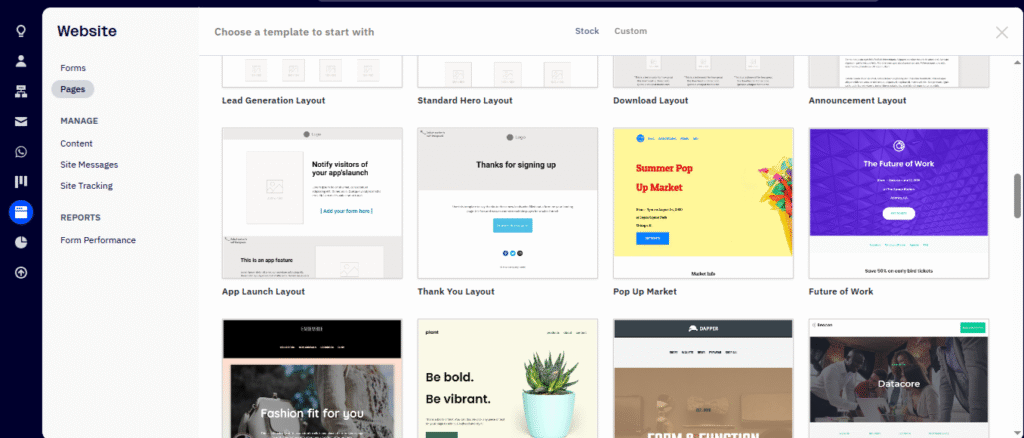
GetResponse provides a full landing page builder built directly into the platform. Users can choose from 200+ professionally designed templates, customize them through a drag-and-drop editor, and publish pages without needing a separate website builder.
Key advantages include:
- Prebuilt, conversion-focused templates for webinars, lead magnets, sales pages, and signup pages
- Drag-and-drop editor with blocks, countdown timers, forms, and media elements
- A/B testing support, allowing you to test different versions for the best results
- Native integration with funnels, making it easy to build full lead sequences

GetResponse effectively replaces tools like Leadpages or Unbounce for many users, giving marketers a complete funnel-building experience inside one dashboard.

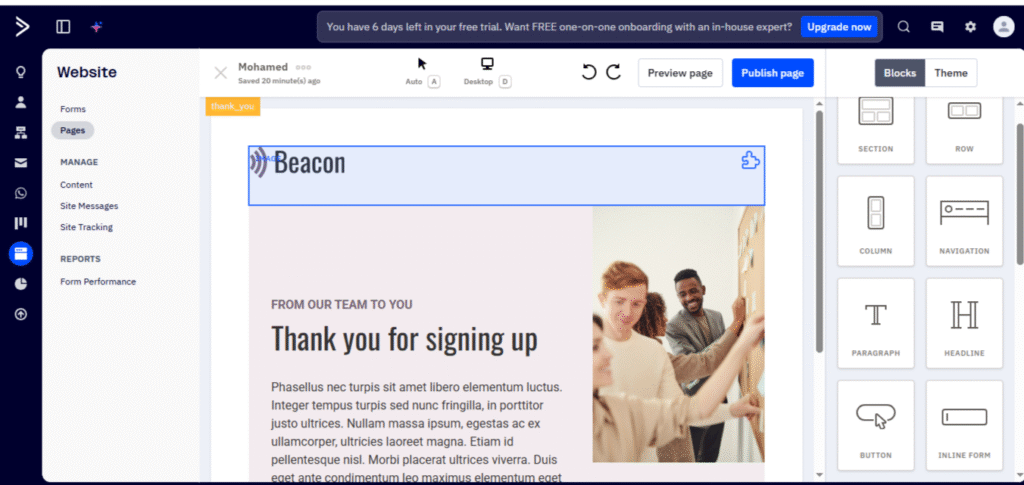
ActiveCampaign Landing Page Capabilities
ActiveCampaign does include a landing page builder, but it is more limited compared to GetResponse. While the editor is clean and functional, the template library is smaller, and the customization features aren’t as robust. ActiveCampaign landing pages are best used for simple signup pages or confirmation pages rather than full marketing funnels. Most businesses using ActiveCampaign typically integrate external landing page tools such as:
- Elementor
- ClickFunnels
- Unbounce
- Instapage
This adds flexibility but also increases cost and setup time
In the GetResponse vs ActiveCampaign comparison for landing pages:
- GetResponse wins comfortably thanks to its dedicated landing page builder, rich template selection, and integrated funnel functionality.
- ActiveCampaign offers basic landing pages but relies heavily on third-party integrations for advanced needs.
If landing pages and funnels are an essential part of your marketing strategy, GetResponse delivers significantly more value.
Pros & Cons: GetResponse vs ActiveCampaign
Understanding the strengths and weaknesses of each platform is essential when comparing GetResponse vs ActiveCampaign. Below is a detailed breakdown to help you choose the platform that best fits your marketing goals.
| GetResponse | ActiveCampaign |
|---|---|
| ✔ PROS | ✔ PROS |
| • All-in-one platform (email, funnels, landing pages, webinars) | • Industry-leading automation builder |
| • Beginner-friendly and easy to navigate | • Advanced CRM with deal tracking + pipelines |
| • More affordable pricing & permanent free plan | • Best segmentation engine (behavioral + event-based) |
| • Strong landing page & funnel builder | • Predictive sending & machine learning optimization |
| • Native webinar hosting (unique advantage) | • High deliverability rates (96–97%) |
| • Good personalization + solid templates | • 900+ integrations and deep API capabilities |
| • Perfect Timing feature for smart send times | • Advanced lead scoring & attribution tracking |
| • Ideal for solopreneurs & small businesses | • Scales perfectly for eCommerce & agencies |
| ✘ CONS | ✘ CONS |
| • Automation is not as advanced | • No free plan (only 14-day trial) |
| • CRM is basic compared to sales platforms | • Complex for beginners, longer learning curve |
| • Some features require higher-tier plans | • Pricing increases quickly as list grows |
| • Limited 3rd-party integrations vs ActiveCampaign | • Landing page builder is limited |
| • No predictive sending (only basic timing optimization) | • Some advanced features locked behind higher plans |
Final Take– Which Platform Should You Choose in 2025?
Choosing between GetResponse vs ActiveCampaign ultimately depends on your goals, your experience level, and the type of marketing system you want to build. Both tools are industry leaders, but they are built for different types of users and different levels of marketing complexity.GetResponse is the easier, more cost-effective, all-in-one platform. ActiveCampaign is the more powerful automation and CRM engine for data-driven, fast-scaling teams. Understanding this difference is the key to choosing the platform that aligns with your business in 2025.
In the GetResponse vs ActiveCampaign comparison, there is no universal winner — only the platform that best fits your structure.
- Choose GetResponse if you want an easy, affordable, all-in-one marketing system with strong landing pages, funnels, and webinars.
- Choose ActiveCampaign if you need advanced automation, CRM pipelines, predictive sending, and enterprise-level customization.
Experiencing the platform firsthand is the fastest way to know which one fits your workflow, marketing needs, and long-term business goals. Therefore, Try GetResponse for free 14 days – great for beginners and small lists, and also try ActiveCampaign, which is free for 14 days as well – perfect for evaluating advanced automation and CRM workflows